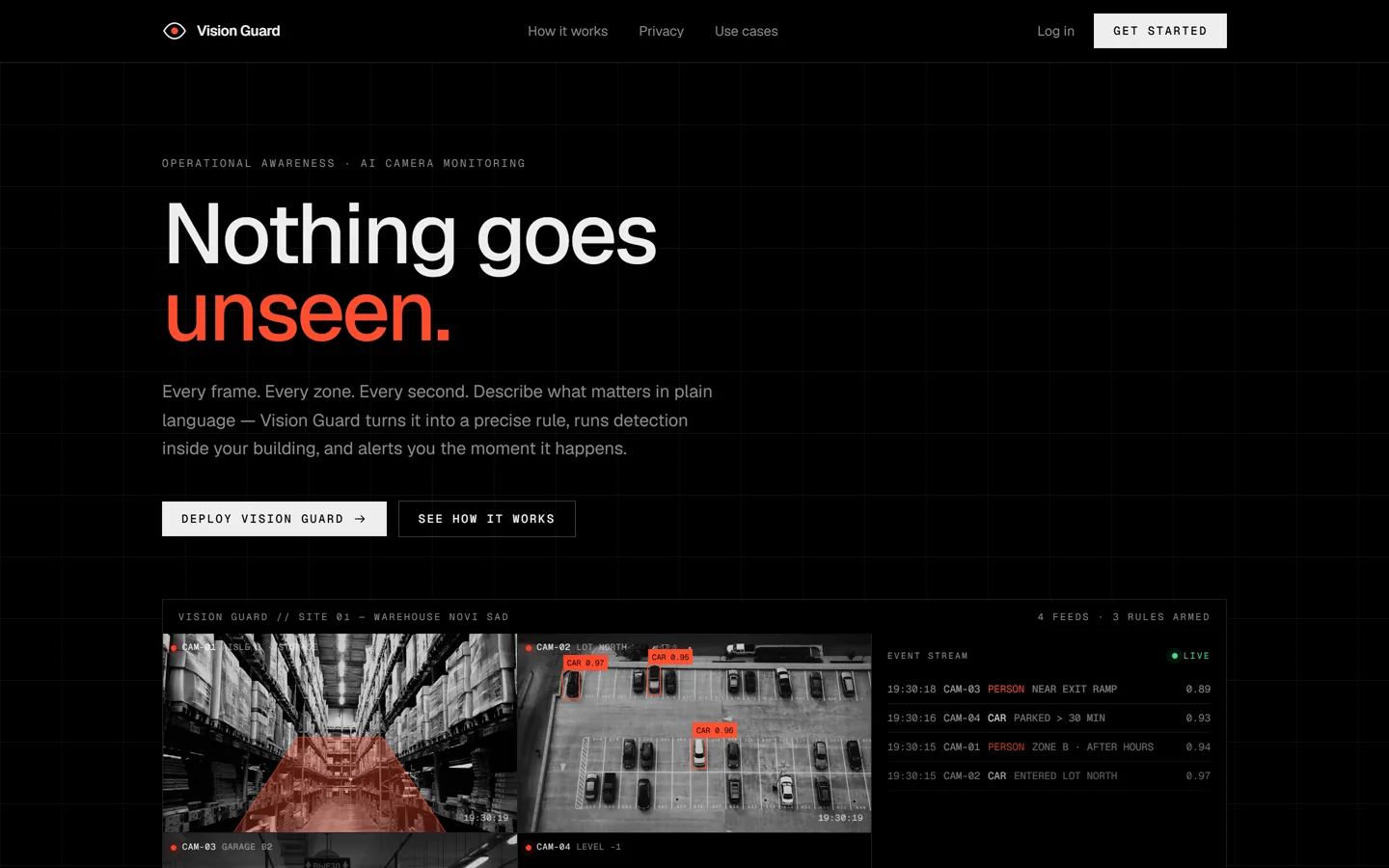
You write in plain words what the camera should watch for, like “tell me if anyone walks into the room at night”. When it happens, a photo reaches you on Telegram in about two seconds. It all runs on an ordinary computer, with no expensive hardware.
Role
Product, architecture and build, working with Claude Code
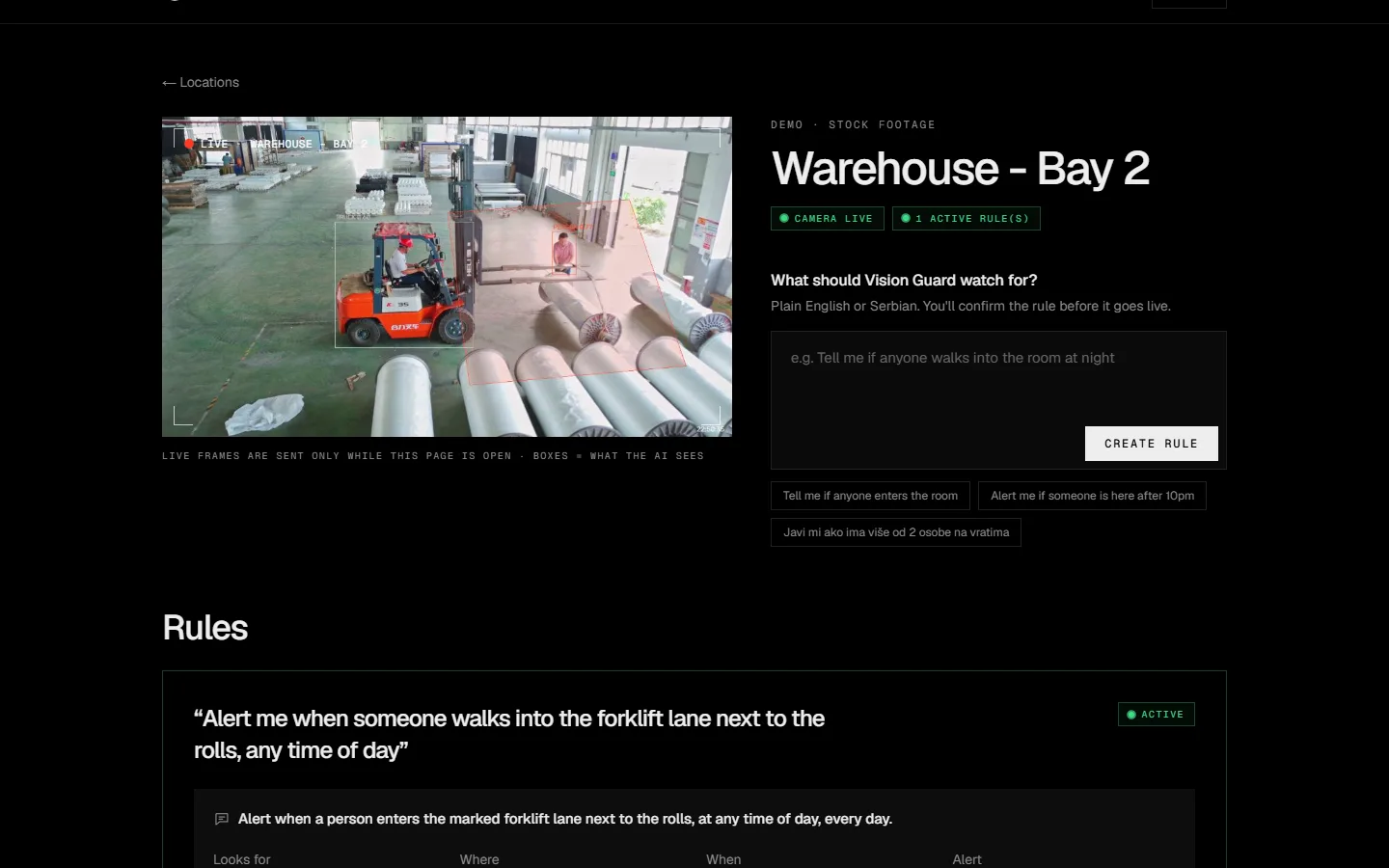
The product website, scrolled top to bottom.Rule, zone, alert, dashboard. Real screens from a test on free warehouse footage (Pexels).
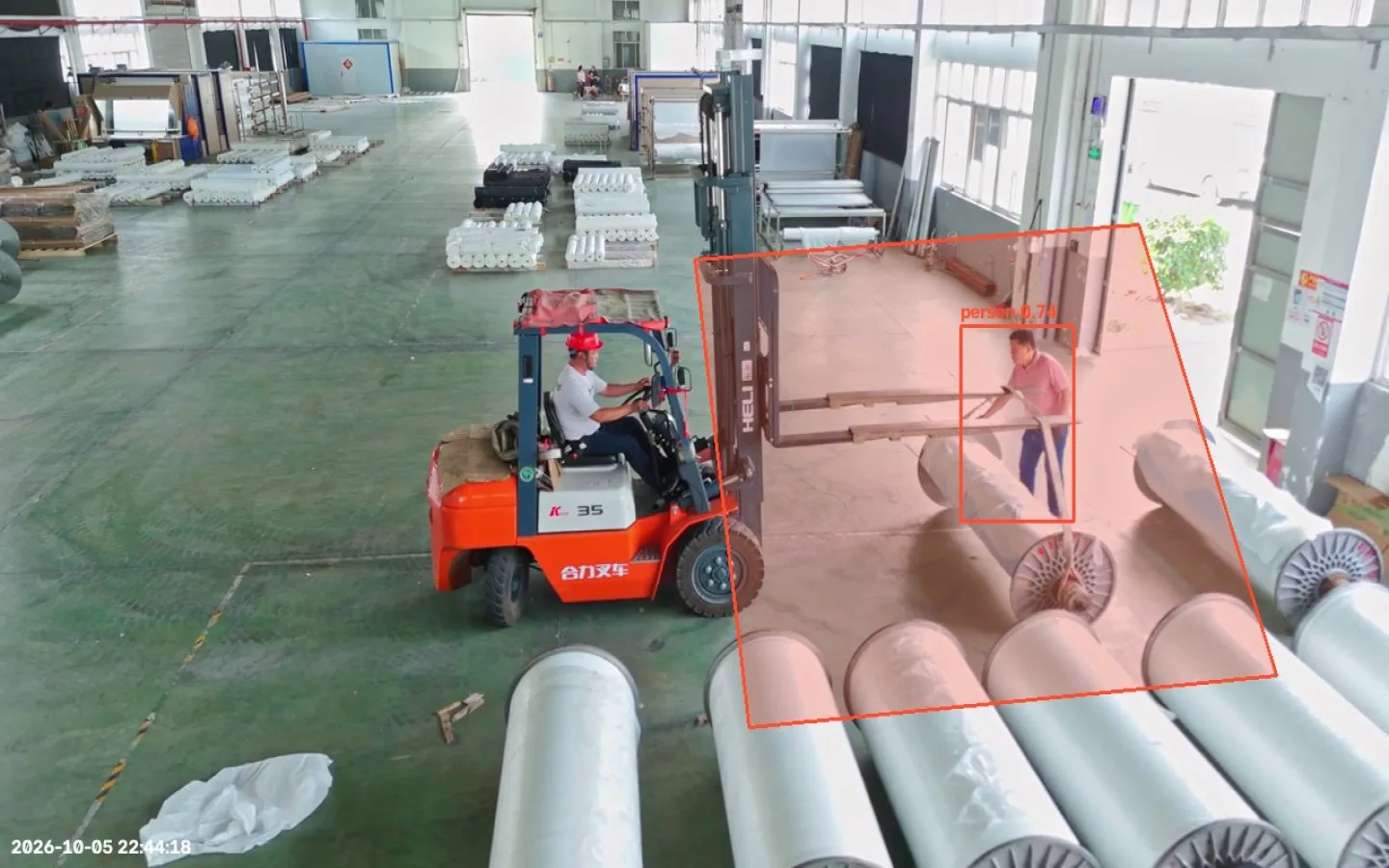
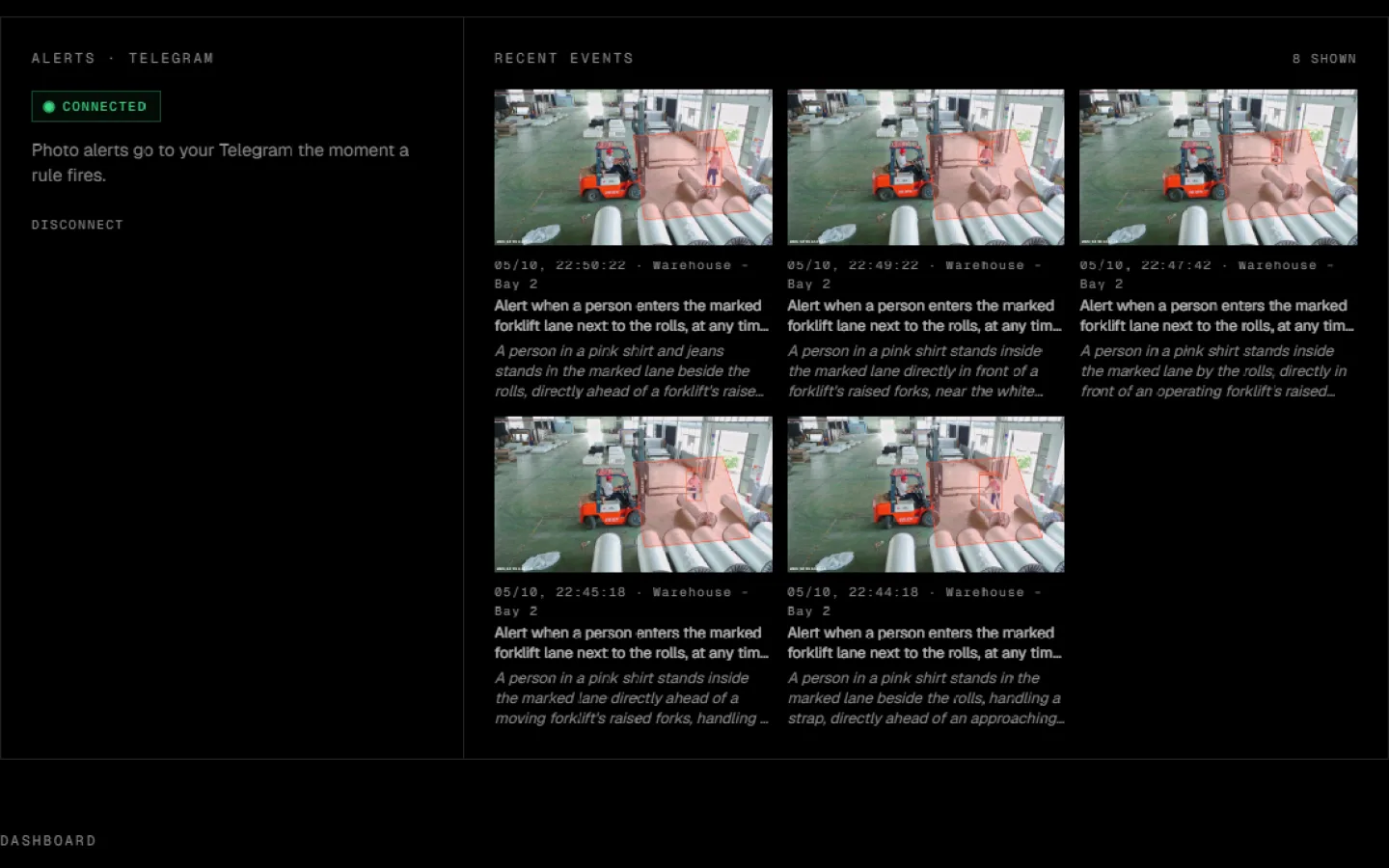
A real alert: a person in the forklift lane. Claude added: “A person in a pink shirt stands in the marked lane beside the rolls, handling a strap, directly ahead of an approaching forklift’s raised forks.”
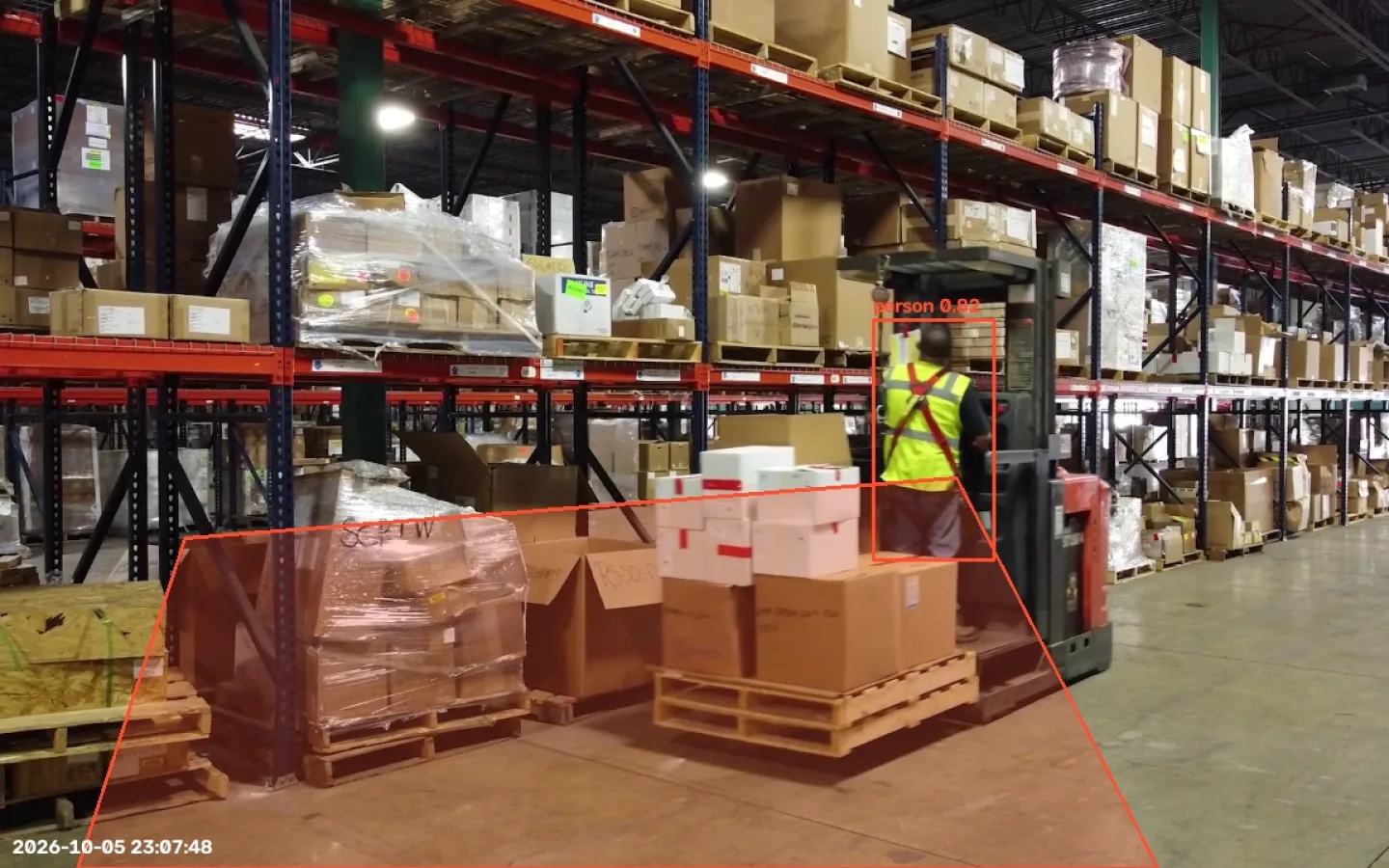
Warehouse aisle: “Tell me when someone is in the aisle next to the pallets”
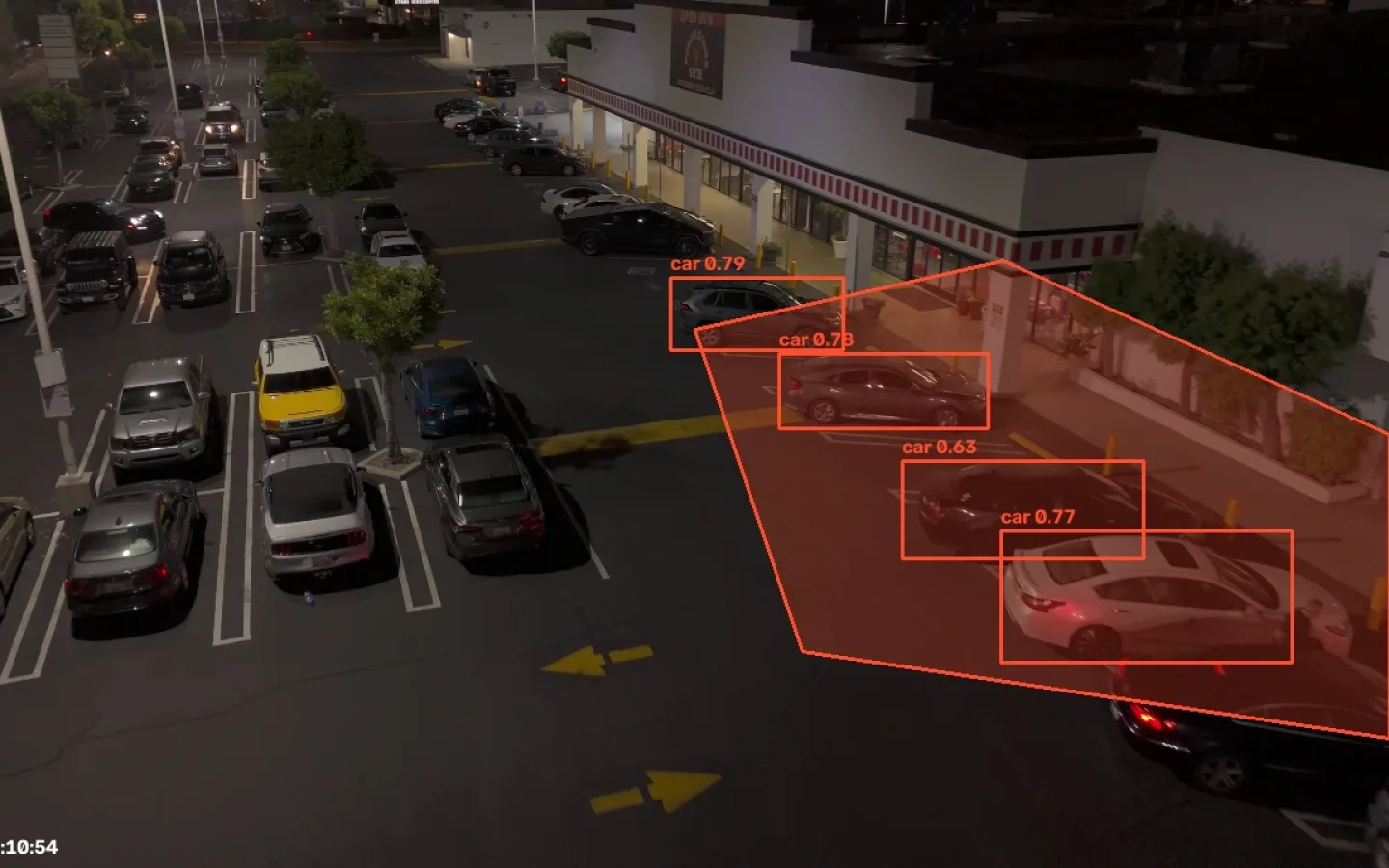
Parking lot at night: “Alert me when a car stops in the fire lane in front of the store”
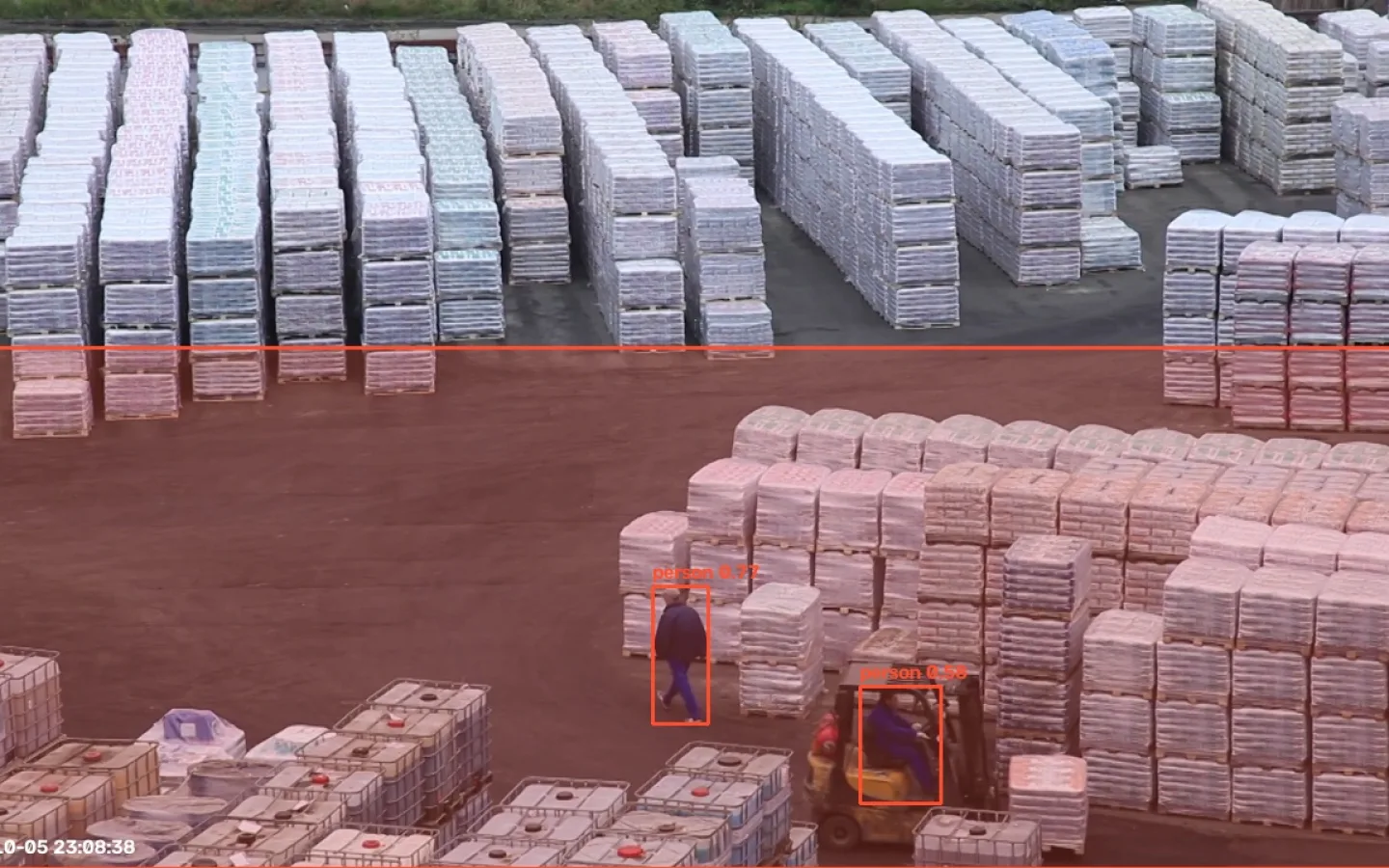
Storage yard: “Tell me when a person walks onto the yard where the forklifts drive”
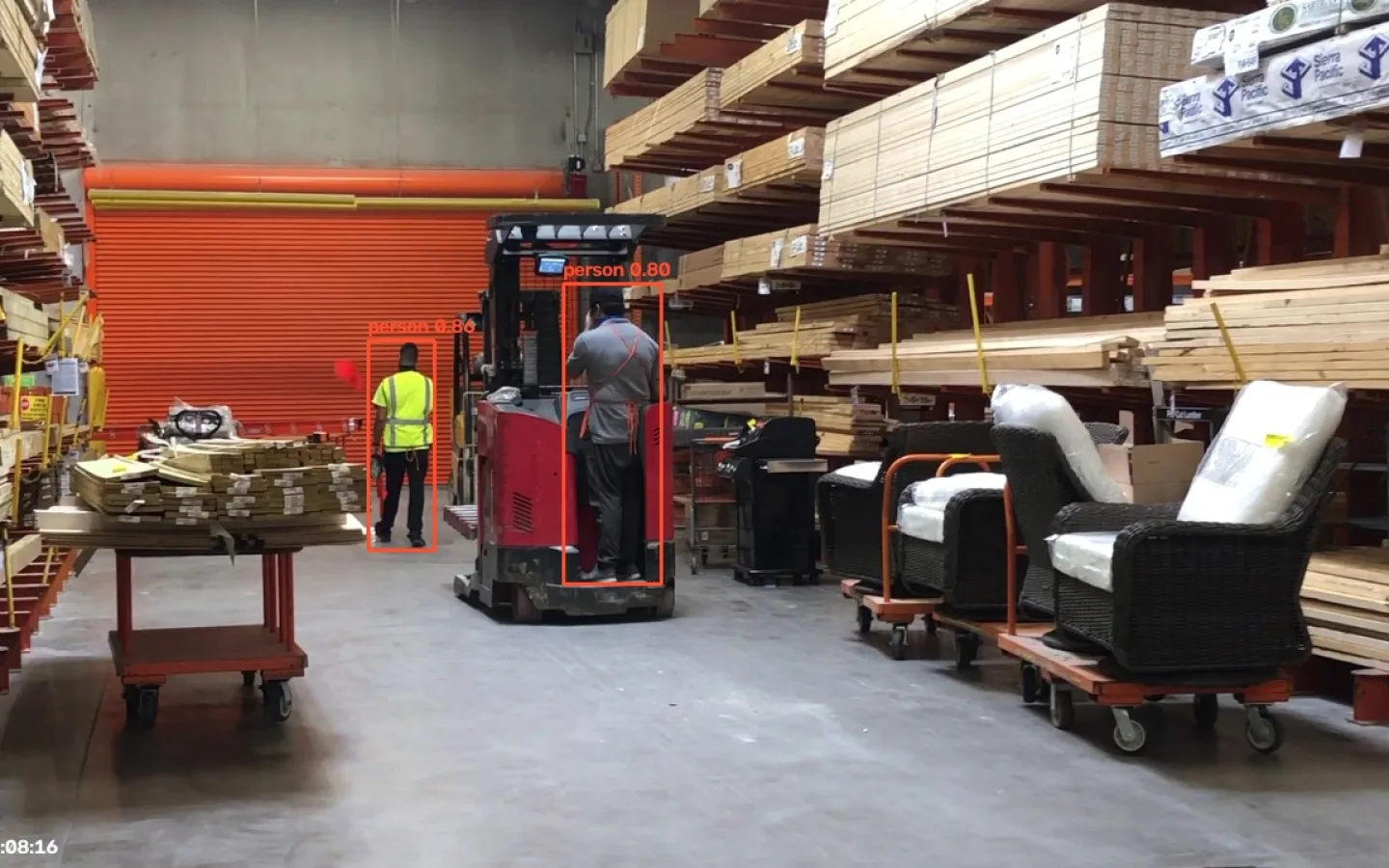
Lumber store: “Alert me when two or more people are in view at once”
One sentence becomes a rule: look for a person, in the marked zone, always, at most one alert a minute
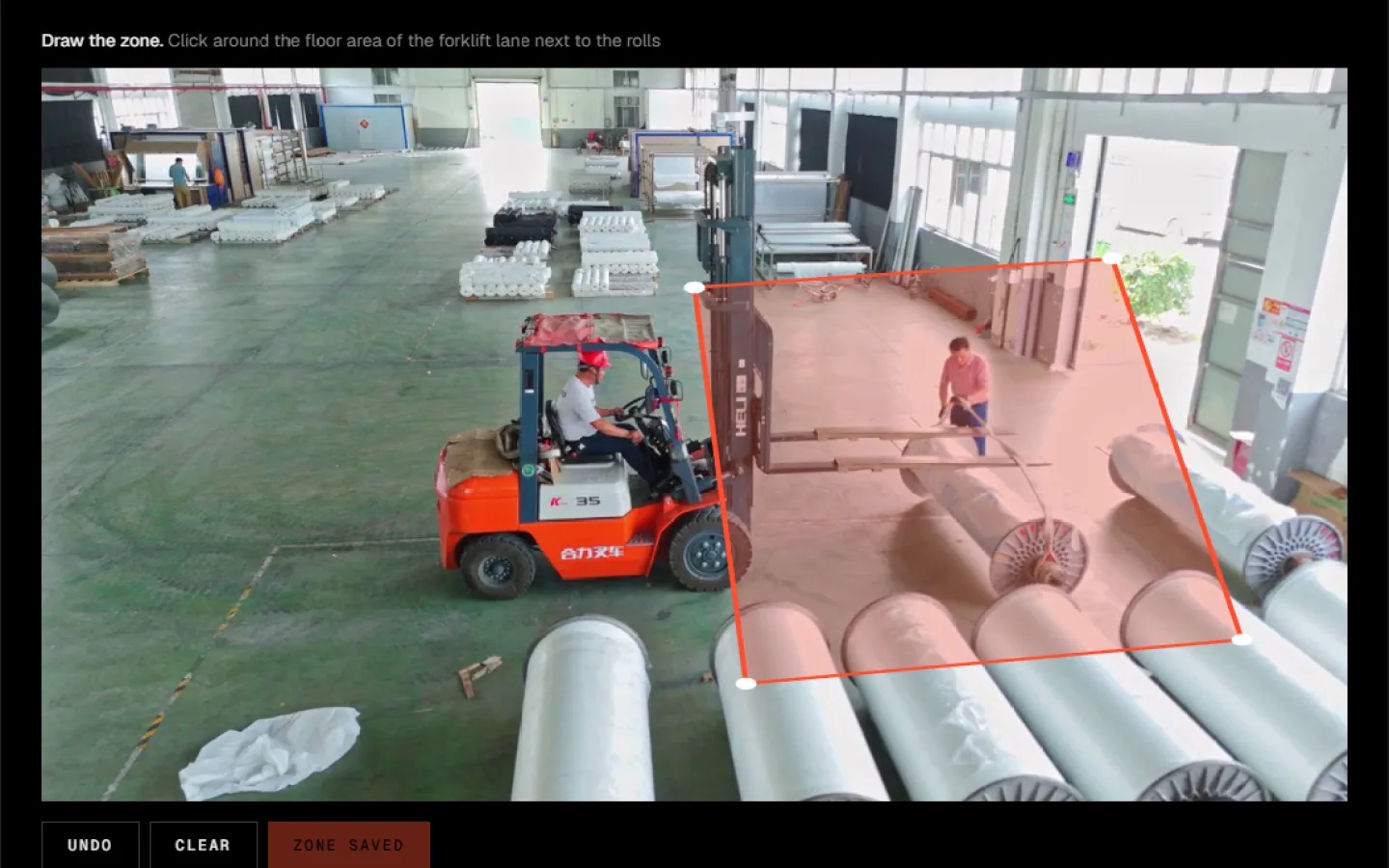
The customer outlines the forklift lane on the camera picture
Dashboard: Telegram connected, every alert with a photo and a one-line AI description
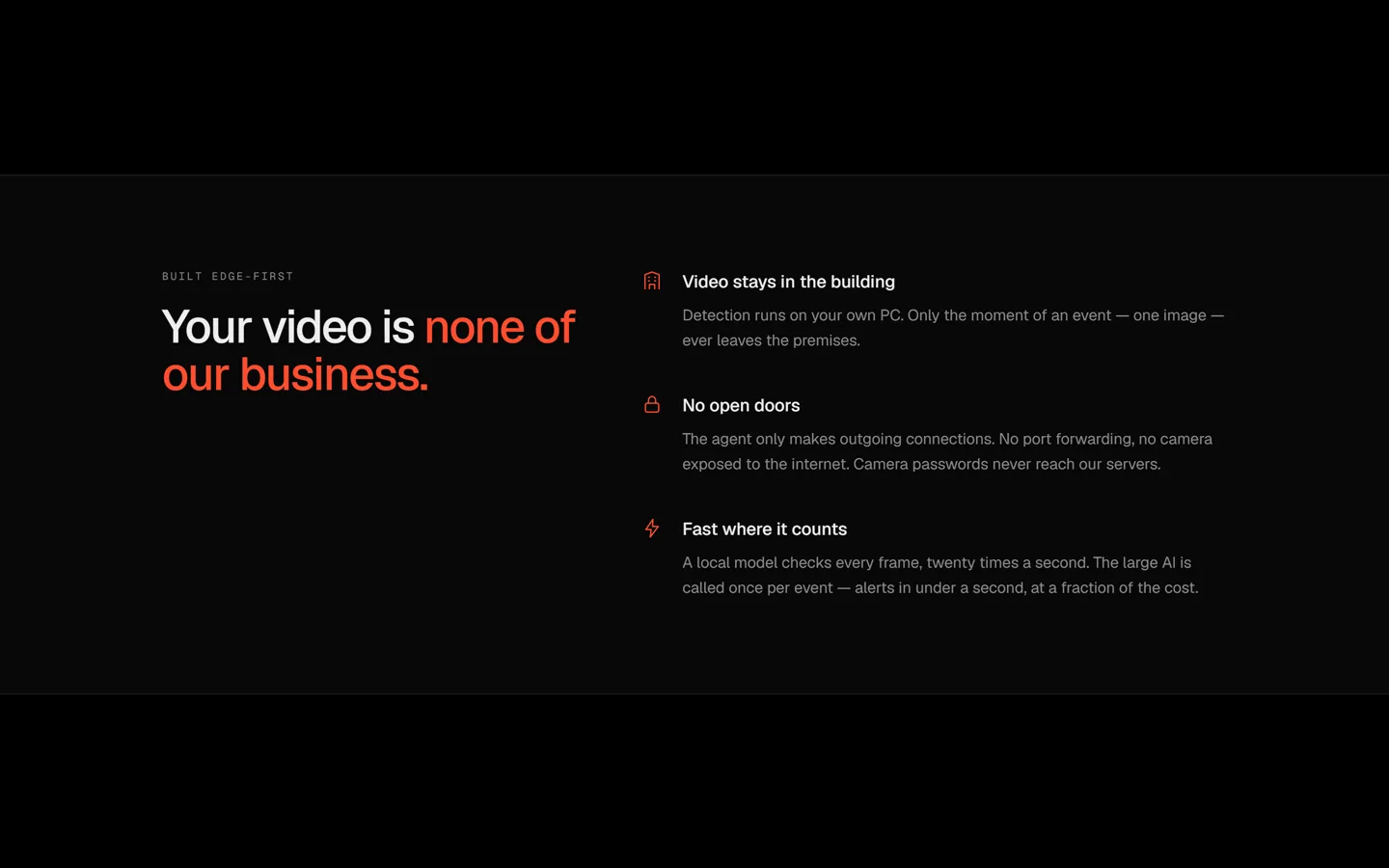
Detection runs in the building, no open ports
Landing page
The idea
Most businesses already have cameras. Nobody watches them. The footage is only opened after something went wrong. I wanted the cameras to tell you, in the moment, about the specific things you care about, set up by writing a sentence instead of clicking through settings.
The obvious version is expensive: send every frame to a vision model. At 20 frames a second from a few cameras that is millions of calls a day. So the whole design follows one rule: a cheap local model decides when, and the large model only explains what. The first market is companies (warehouses and sites: people in a forklift zone, a blocked exit), not homes.
Timeline
Rules in plain words, companies first, a three-layer design so the large model is never in the video loop.
YOLO live on the laptop: about 50 ms a frame on a Ryzen CPU, no internet needed.
An iPhone as the camera over Wi-Fi. A zone drawn over the live picture, and an alarm based on where the feet are.
From a local script to a web product: sign-up, a downloadable agent, rules written as prompts.
Agent ↔ site: pairing code, heartbeat, camera list, preview images in a private bucket.
Prompt → rule with Claude and a strict schema. The customer confirms before anything runs.
The agent executes rules: zones, schedules, minimum duration, cooldown. Events go to the site and to Telegram.
The whole chain works live: iPhone → detector → site → Telegram in about 2 seconds, then Claude’s description.
Every feature
01
Rules written as sentences
“More than 3 people in front of the till on weekdays 9–17”, written in Serbian, becomes: look for person, in the marked zone, 4 or more at once, Monday to Friday, 09:00–17:00, alert after 1 second, at most once a minute. The customer sees exactly this and confirms it.
02
Honest refusals
“Tell me when my neighbour Petar arrives” is refused, with the reason: the system cannot tell who is who. A rule that silently never fires is worse than a clear no. The same goes for faces, number plates, falls, fire or helmets, until those detectors exist.
03
Zones drawn on the real picture
The customer outlines the area with a few clicks on the camera’s own image. For people the system checks the point at the bottom of the box (the feet), so walking past a door does not count as walking through it.
04
Photo alert, then a description
The photo, with the zone and the detected object drawn on it, goes out immediately. A few seconds later Claude looks at that one image and adds a sentence under it. If it looks like a false alarm (a poster, a reflection), it says so.
05
Live view on demand
While someone has the camera page open, the agent sends about one annotated frame a second, with the boxes the AI sees. When the page closes, it stops. Nothing streams to the cloud by default.
06
Health you can read
The dashboard tells two failures apart: “Agent offline” (the PC is off) and “Camera offline” (the agent runs, but this camera gives no picture). The first real test caught exactly that: the phone locked and the card showed NO SIGNAL.
07
Telegram in one tap
Press Start in the bot and the page connects by itself within seconds. No webhook and no public URL needed, so it works locally too.
AI architecture
Local detector, every frame. YOLO11n on the customer’s PC, 8 frames a second per camera, free and offline.
Rules in code. Zone, count, schedule, minimum duration and cooldown are plain code on the agent. This is what decides an alert, in milliseconds.
Large model, once per event. Claude sees one image and the rule that fired. It runs after the alert has already been sent, so the photo is never waiting for a model.
The same model is used a second time, when a rule is created: the prompt goes in, and a structured rule that must match a schema comes out. It can only choose objects the detector can actually see.
Privacy by design
Video stays in the building. Only the moment of an event, one image, leaves the premises.
No open doors. The agent only makes outgoing HTTPS requests, so nothing is opened on the customer’s router.
Camera passwords never reach the server. Stream addresses stay in a file on the customer’s PC; the server only knows camera names.
Agent tokens are shown once and stored only as a SHA-256 hash, in a table the browser can never read. Every other table is locked to its owner with row-level security.
What the tests caught
A schema bug in my first design. In the first prompt test Claude pointed out, in its own summary, that counting people could not be combined with a zone. I changed the schema to use_zone + min_count, and “4 or more people in front of the till” now works exactly.
A sideways camera. The first real alert arrived with the description “…the camera image is rotated sideways”. The phone stood upright and sent a landscape picture. I added rotation per camera. The same person was detected at 74% before the fix and at 91% after it.
A step nobody takes. I pressed Start in the Telegram bot and nothing happened, because the site waited for me to come back and click “I pressed Start”. Now the page checks every 3 seconds and connects by itself.
Next
Deploy the web app, a proper downloadable agent (an .exe, not a Python install), video clips after the photo, and the warehouse pack: helmet and vest detection, a forklift in a pedestrian zone, a blocked exit.
What I decided
Companies first; the first pack is warehouses and sites.
The customer downloads an agent to their own PC. We do not ship a box.
Cost and speed come from the design: the large model never watches video.
Quality over speed: a real web product, not a local demo.
What the AI did
Proposed the three layers and the edge + cloud split.
Built the agent, the Next.js app, the database with row-level security and the Telegram flow.
Wrote the prompt-to-rule compiler with a strict schema.
Where I corrected it
Dropped “a fall in a care home” for privacy. I clarified it means the corridor, not rooms, and it is back on the list.
Made me click “I pressed Start” after Telegram. I asked for it to connect by itself.
Designed a first landing page I called dead. I asked for a black control-room look.